

Shipping & Return Labels
Shipping & Return Labels is the history of all your shipped orders. From here you can find any shipment by tracking number, view its status, print or void labels — all in a centralized table with powerful filters.
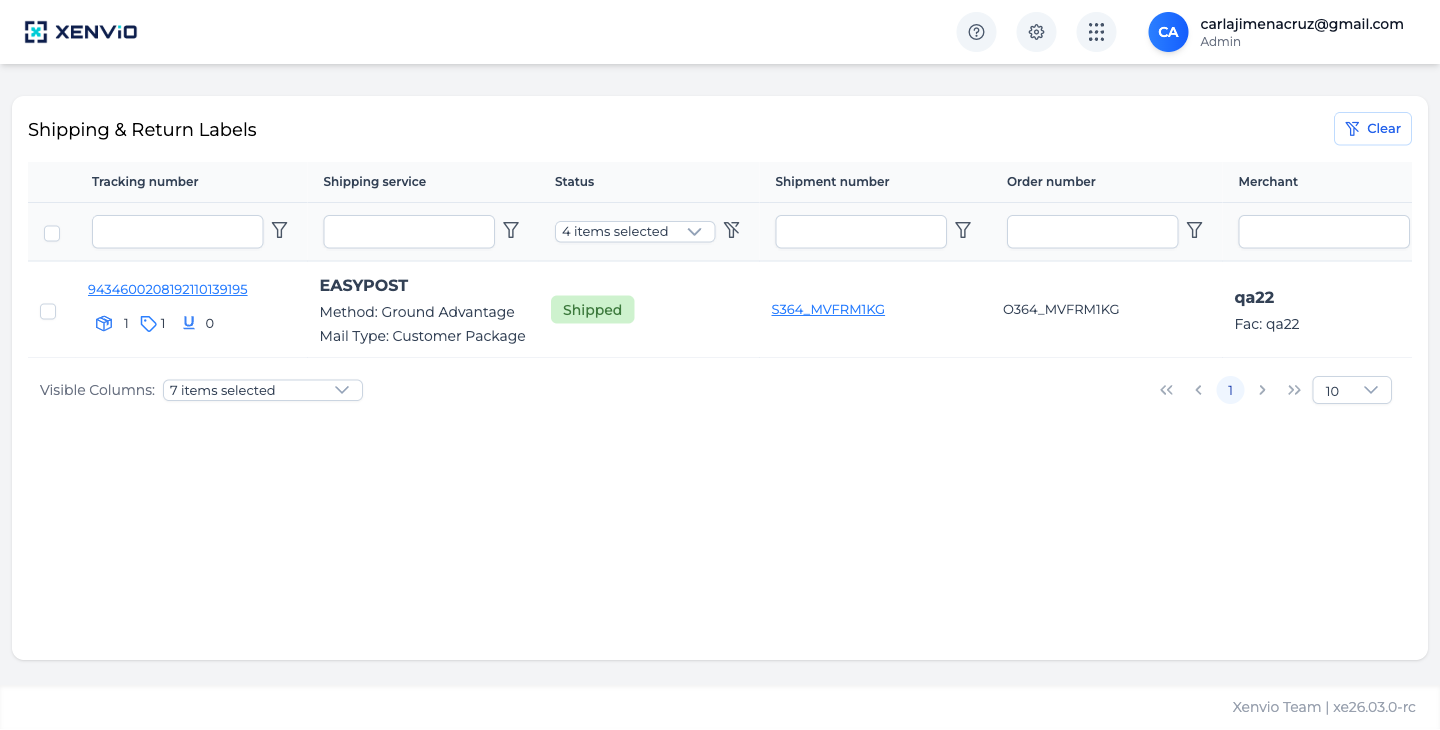
Table with all shipments: Tracking number (clickable), Shipping service, Status (Shipped, Pending, etc.), Shipment number, Order number and Merchant. Filter by any column or shipment status.
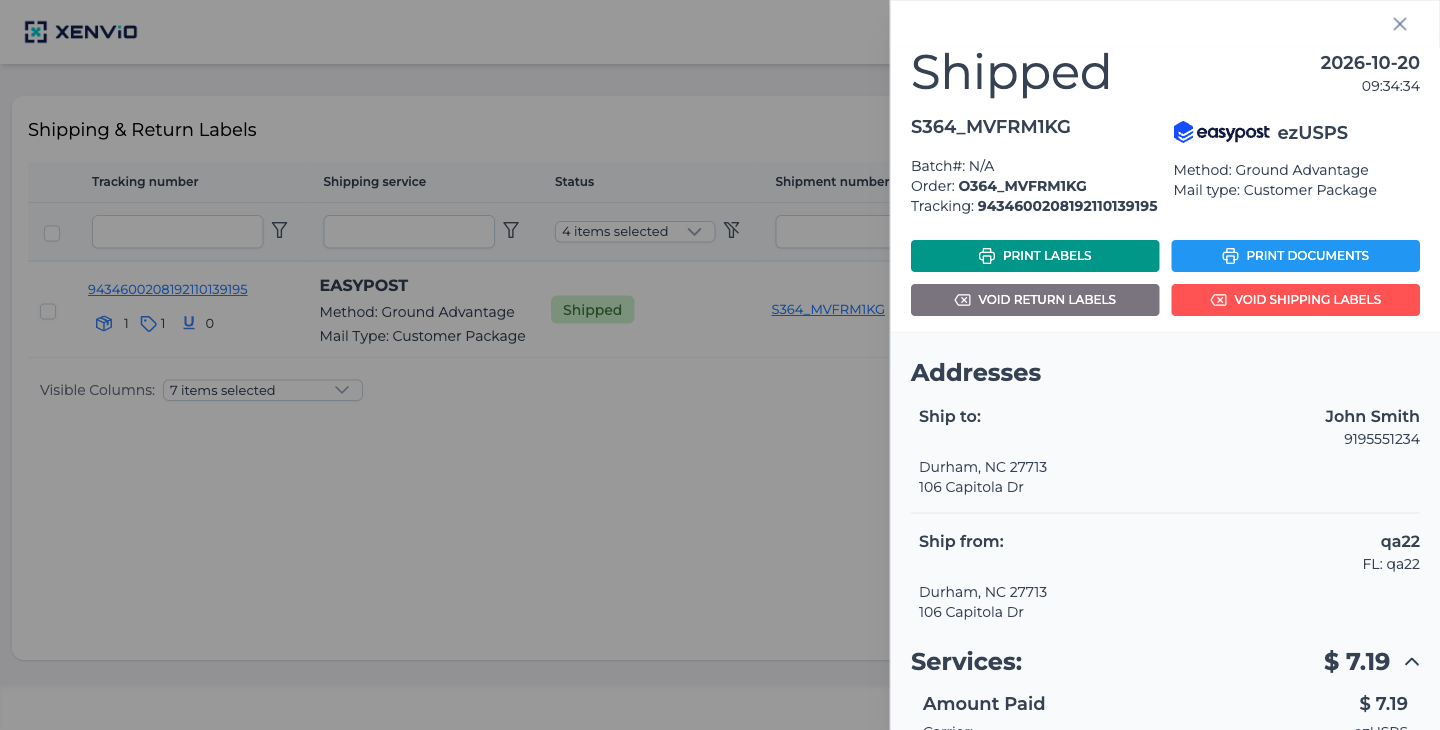
Click the Shipment number to open the side panel with: 'Shipped' status, carrier (EASYPOST/ezUSPS), method (Ground Advantage), full tracking number, PRINT LABELS / PRINT DOCUMENTS / VOID buttons, and address and cost details.
Demo completed!
1. Access Shipping & Return Labels
Section titled “1. Access Shipping & Return Labels”Click ⚙ → Shipping & Return Labels. The table shows all dispatched shipments with:
- Tracking number: Carrier tracking number (clickable)
- Shipping service: Carrier used (e.g. EASYPOST) and method (e.g. Ground Advantage)
- Status: Shipment status (Shipped, Pending, Failed, etc.)
- Shipment number / Order number: Internal references
- Merchant: Facility that dispatched
2. View Detail and Manage Labels
Section titled “2. View Detail and Manage Labels”Click the Shipment number (e.g. S364_MVFRM1KG) to open the side panel with:
- Status (Shipped/Pending) and creation date/time
- Carrier and shipping method
- Full tracking number
- Action buttons:
- 🖨 PRINT LABELS: Download/print the shipping label
- 📄 PRINT DOCUMENTS: Download additional documents
- ❌ VOID RETURN LABELS: Void the return label
- 🗑 VOID SHIPPING LABELS: Void the shipping label (if not yet picked up)
- Addresses: Ship to and Ship from with full name and address
- Services: Total shipping cost breakdown
VOID SHIPPING LABELS permanently voids the label. Only do this if the package has not yet been picked up by the carrier.