

Shipment Tracking
The Track module lets you follow shipments in real time. Once a shipment reaches Shipped status, Xenvio generates a public tracking URL accessible from Shipment Details by clicking the tracking number.
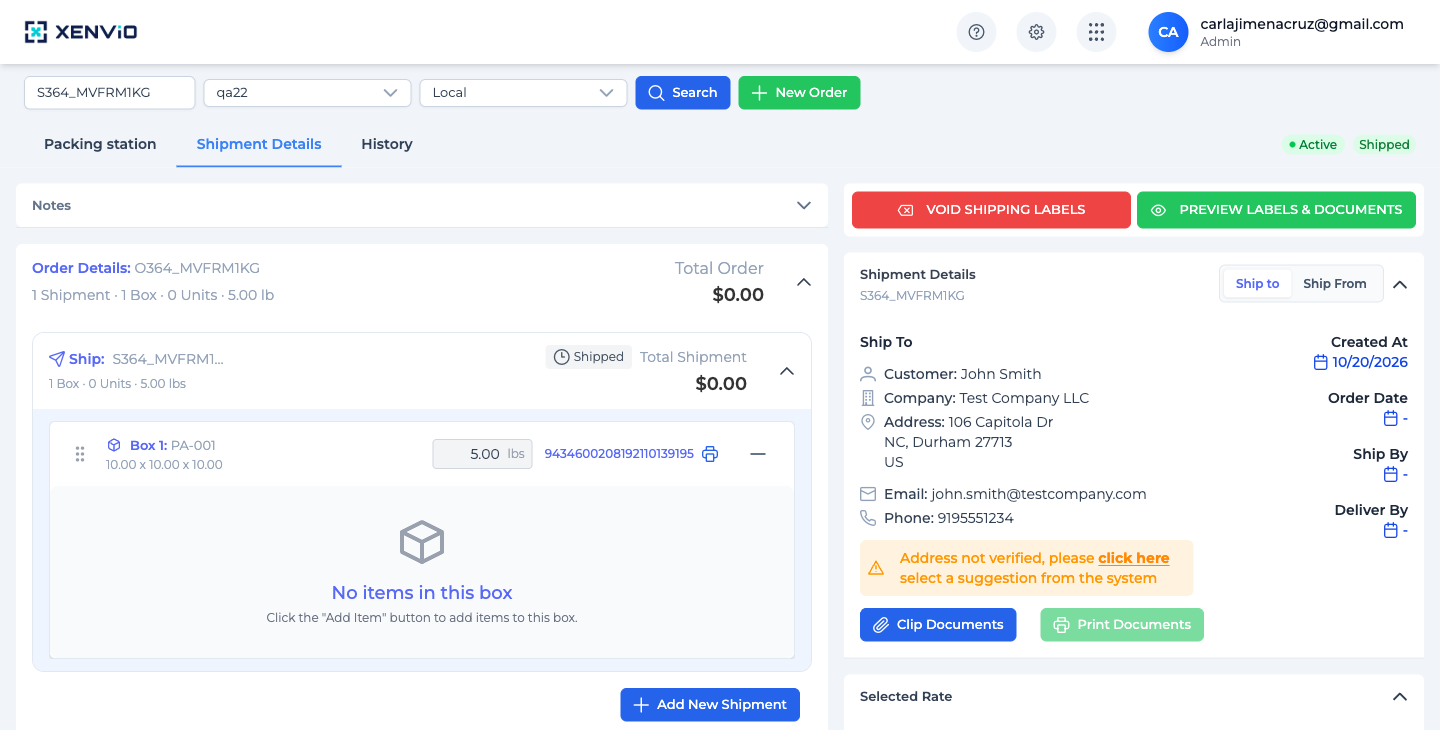
When a shipment has 'Shipped' status, the Box shows the carrier tracking number (e.g. 9434600208192110139195) as a clickable blue link. Click it to open the public tracking view.
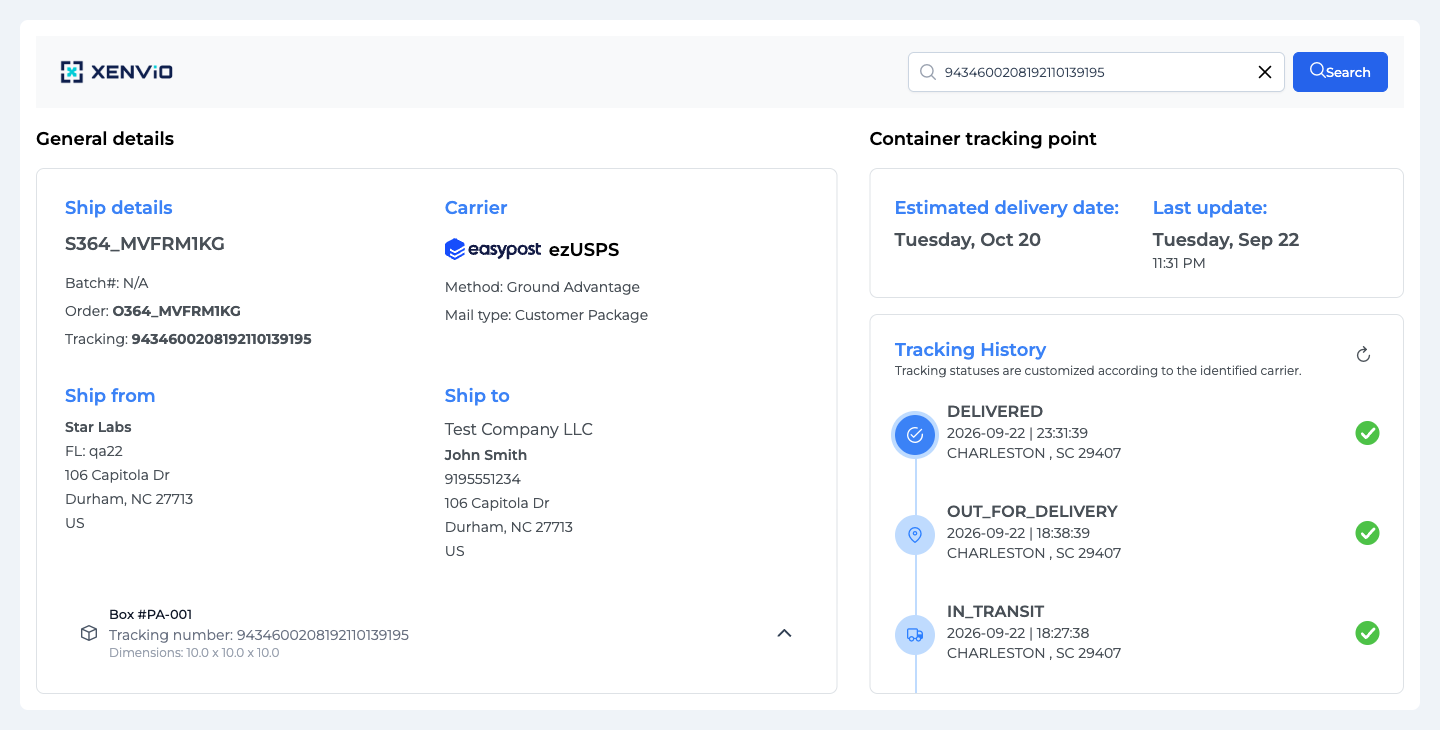
The public Track view at /track/{tracking-number} shows: General details (Ship details, Carrier, Ship from, Ship to, Box info) and Container tracking point (Estimated delivery date, Last update, Tracking History with all events: DELIVERED → OUT_FOR_DELIVERY → IN_TRANSIT).
Demo completed!
1. Access tracking from Shipment Details
Section titled “1. Access tracking from Shipment Details”When a shipment reaches Shipped status, the Shipment Details view shows the carrier tracking number next to the Box:
Click the tracking number (e.g. 9434600208192110139195) to open the public tracking view in a new tab.
2. Public tracking view
Section titled “2. Public tracking view”The Track view is split into two sections:
General details (left):
| Field | Description |
|---|---|
| Ship details | Shipment ID, Batch#, Order number, Tracking number |
| Carrier | Carrier used with logo (e.g. ezUSPS via EasyPost) |
| Method | Shipping method (e.g. Ground Advantage) |
| Mail type | Package type (e.g. Customer Package) |
| Ship from | Warehouse name, Facility, origin address |
| Ship to | Recipient name and address |
| Box info | Box number, tracking number, dimensions |
Container tracking point (right):
| Field | Description |
|---|---|
| Estimated delivery date | Carrier’s estimated delivery date |
| Last update | Date and time of the latest status update |
| Tracking History | Chronological timeline of all shipment events |
3. Tracking history
Section titled “3. Tracking history”The Tracking History shows each event in reverse chronological order (most recent first):
| Status | Description |
|---|---|
| ✅ DELIVERED | Package delivered to recipient |
| 📍 OUT_FOR_DELIVERY | On final delivery route |
| 🚚 IN_TRANSIT | In transit toward destination |
| 📦 ACCEPTANCE | Accepted by carrier |
| 🏷️ LABEL_CREATED | Label created, pending pickup |
4. Search any tracking number
Section titled “4. Search any tracking number”The top search bar lets you enter any tracking number directly:
https://x52angular.shipedge.com/track/{tracking-number}This allows checking the status of any shipment without needing to access Shipper View.