

Calculate Shipping Rates (Get Rates)
Copied! Paste it into your favorite AI (Ctrl/Cmd+V)
The Get Rates feature lets you query and compare available shipping rates from all configured carriers before confirming your shipment.
1
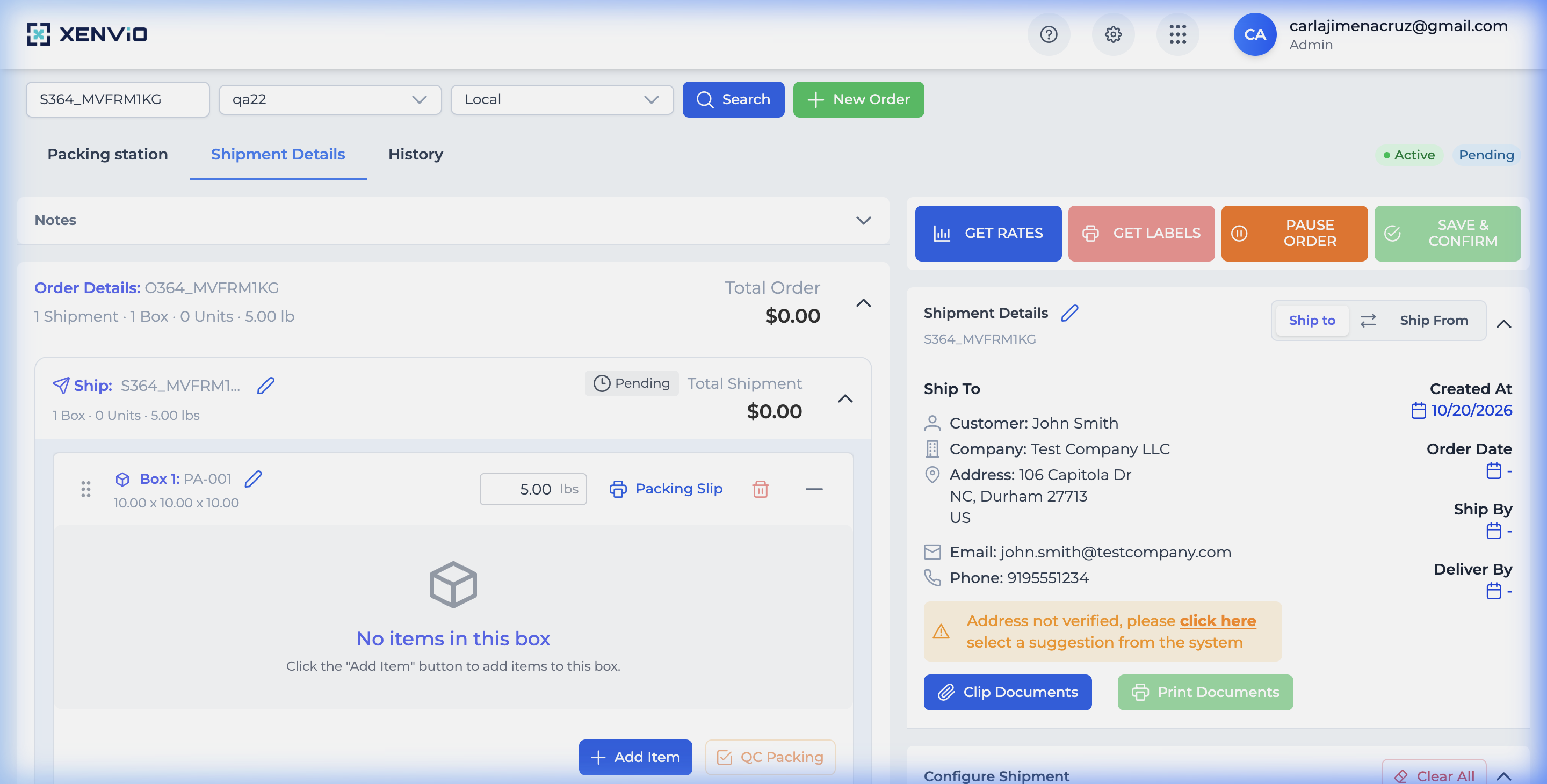
Select Order
Select an order from the Shipper View list to see its details and available actions.
2
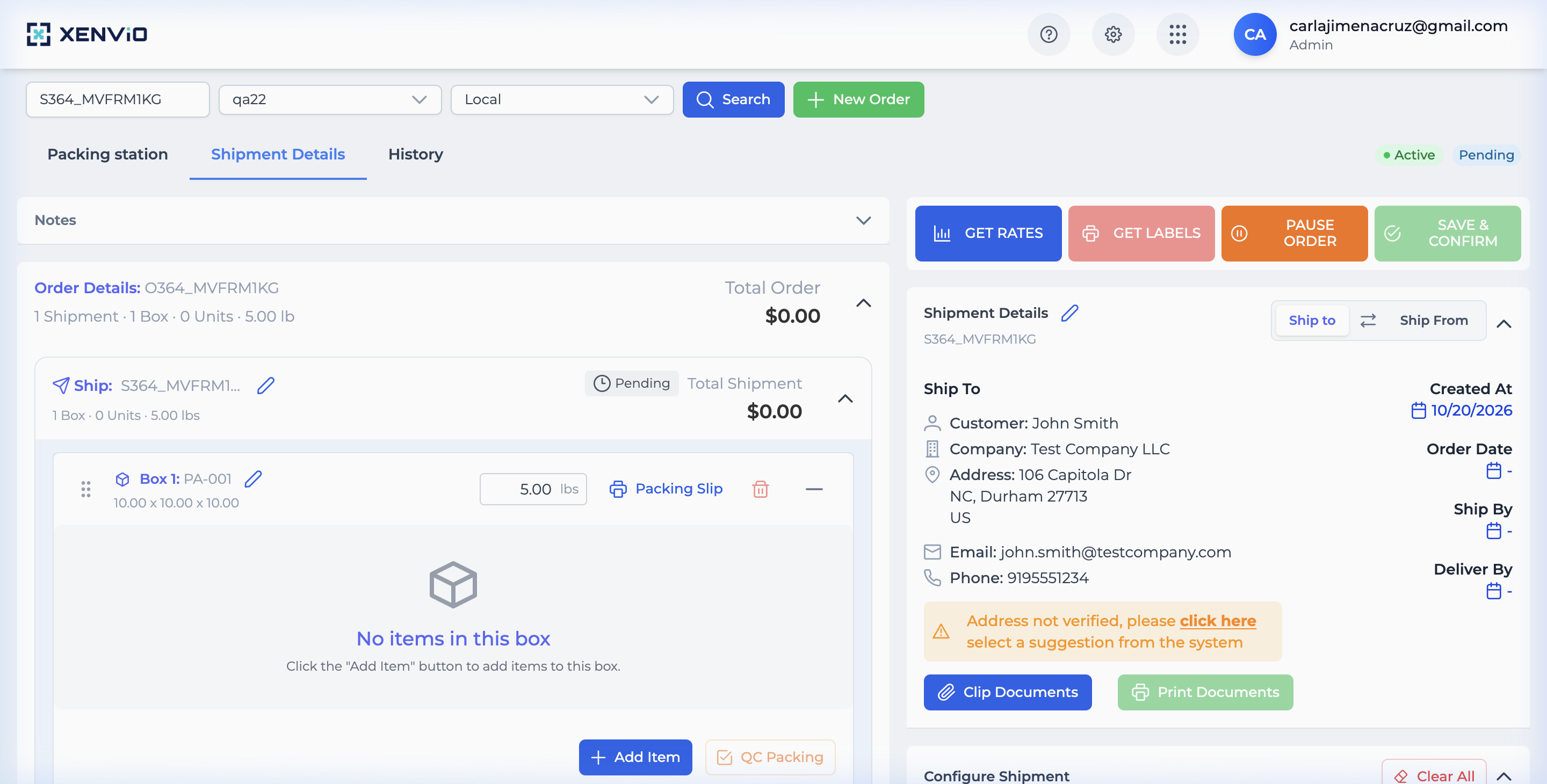
Action Buttons
In the bottom bar you'll see: GET RATES, GET LABELS, PAUSE ORDER and SAVE & CONFIRM.
3
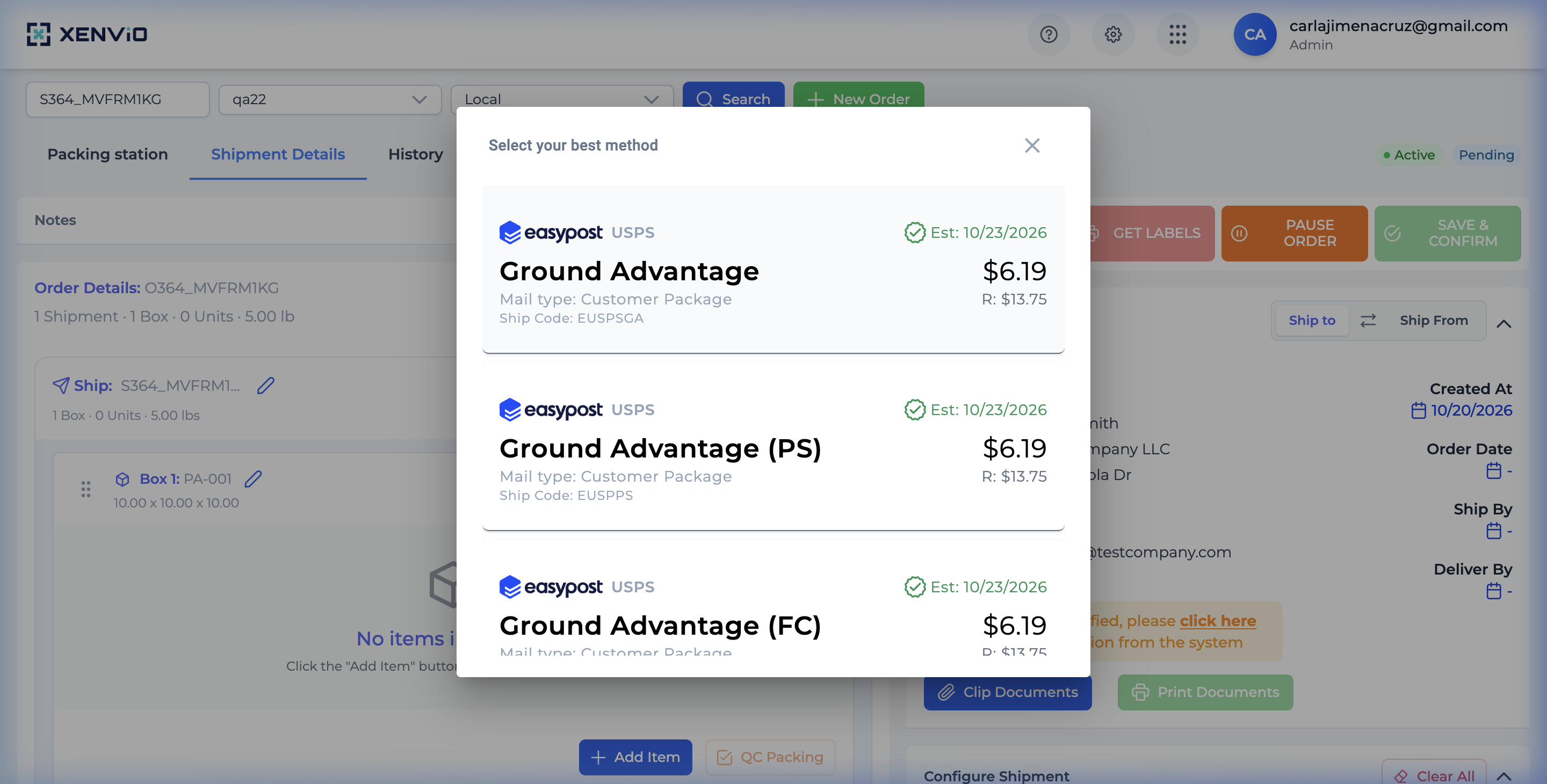
Get Rates
Click GET RATES to query all available rates from configured carriers.
4
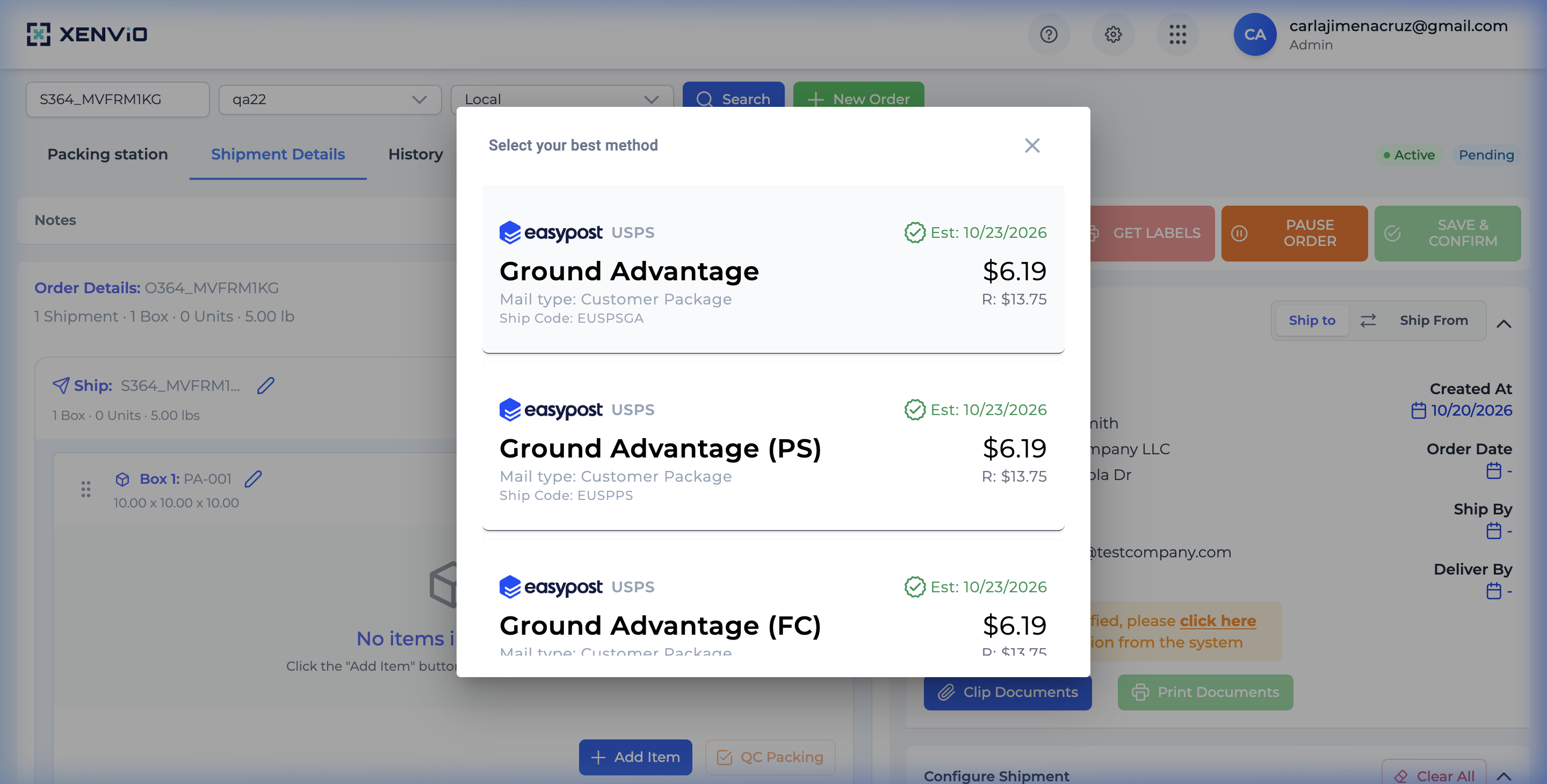
Compare Rates
Compare rates by carrier, service, price and delivery time. Select the best option.
Demo completed!
1 of 4
1. Select the Order
Section titled “1. Select the Order”From the Shipper View, select the order you want to calculate rates for.
2. Click Get Rates
Section titled “2. Click Get Rates”In the bottom action bar, click GET RATES to query available rates.
3. Review Results
Section titled “3. Review Results”The system queries all configured carriers and displays available rates.
4. Compare and Select
Section titled “4. Compare and Select”Compare options by:
- Carrier, Service, Price, Transit Time
Click the rate that best fits your needs.
Get Label Generate the shipping label after selecting a rate.
New Order Create a new order from scratch.