

Custom Carriers
Copied! Paste it into your favorite AI (Ctrl/Cmd+V)
Configure and manage your own custom carriers within each Facility to enable specific shipping methods.
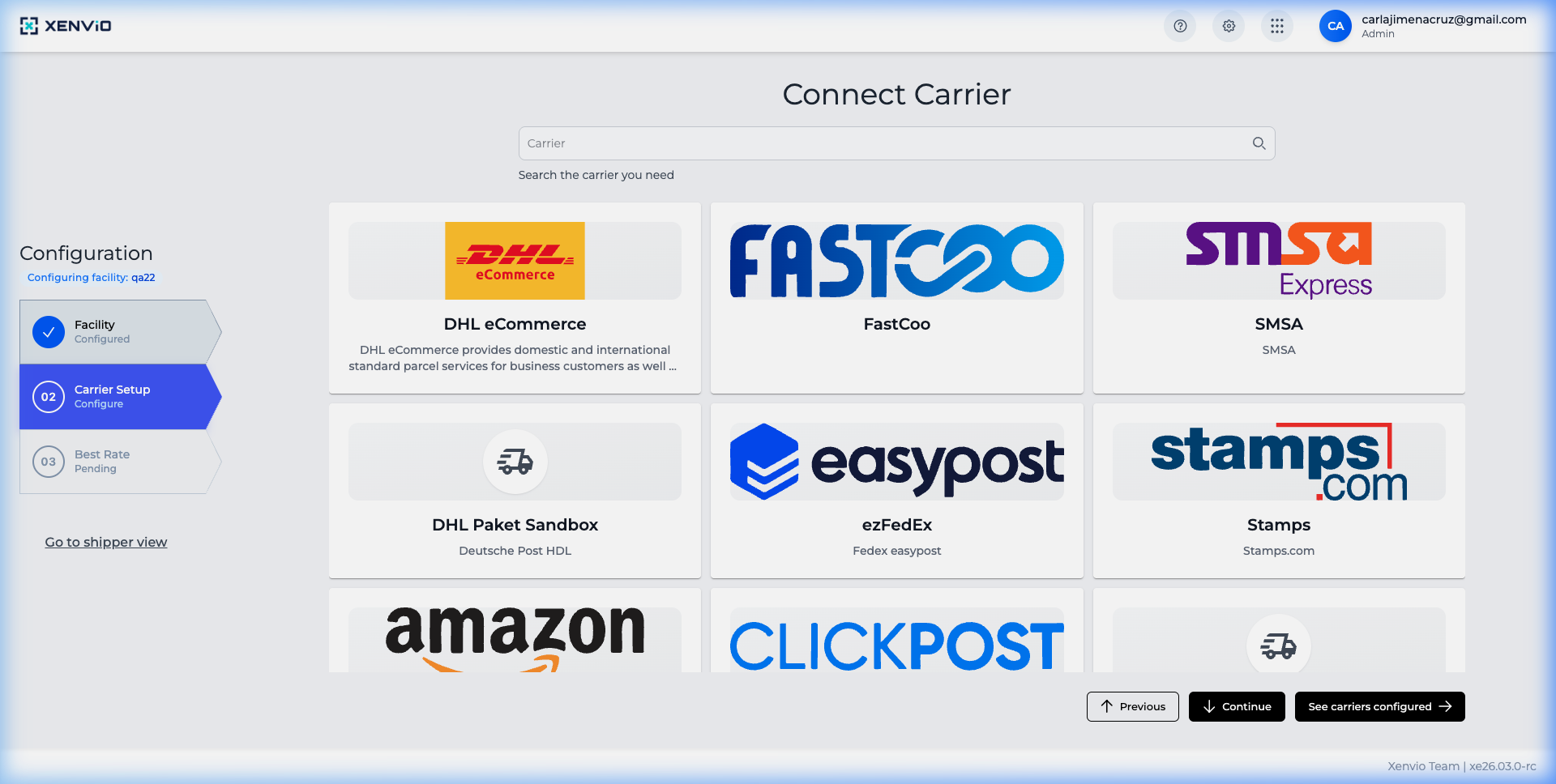
1
Carriers Configuration
Navigate to Configuration → Carriers to see carriers configured for your facility.
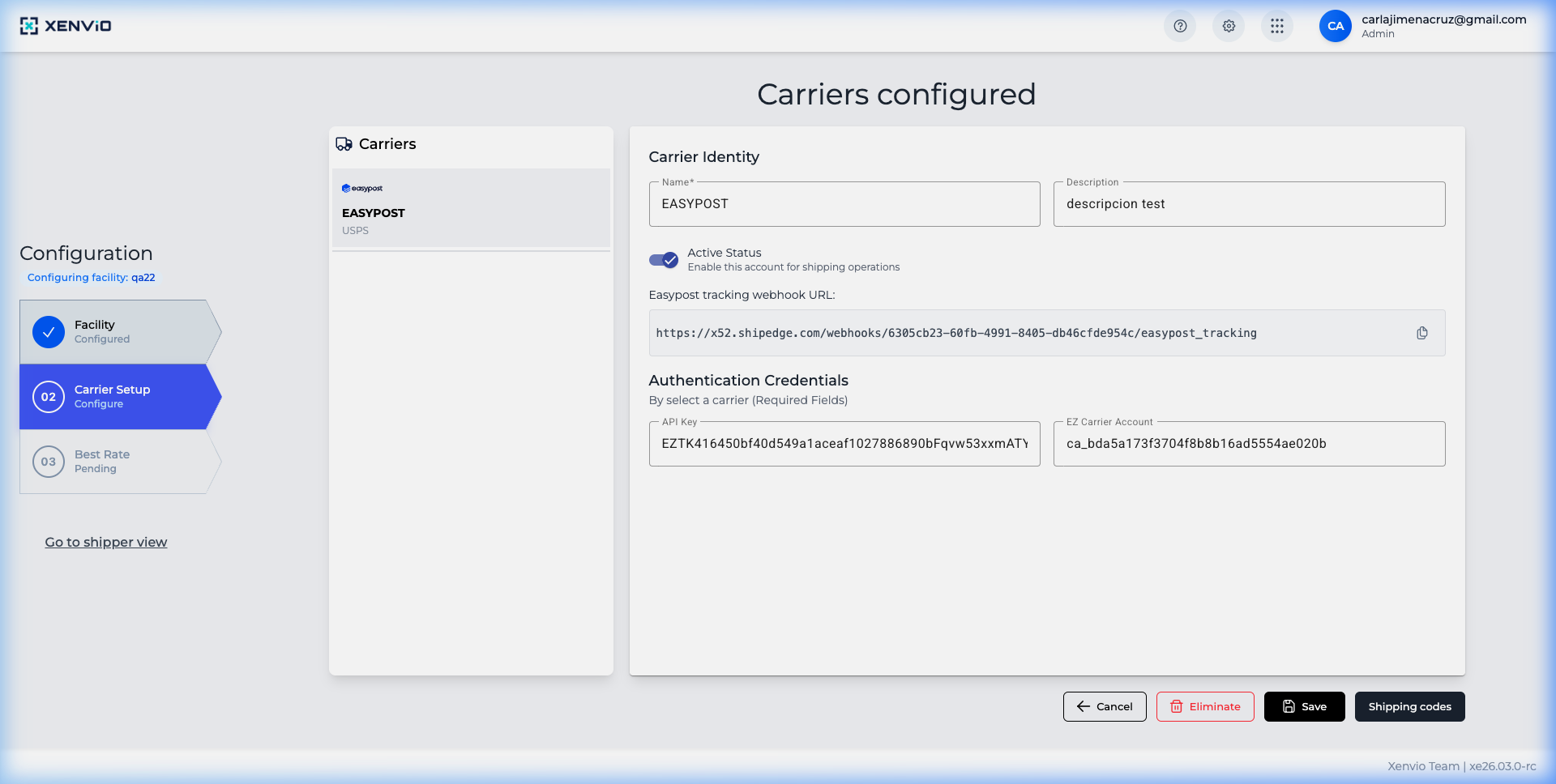
2
Configured Carriers
View the list of configured carriers with their name, status and available actions.
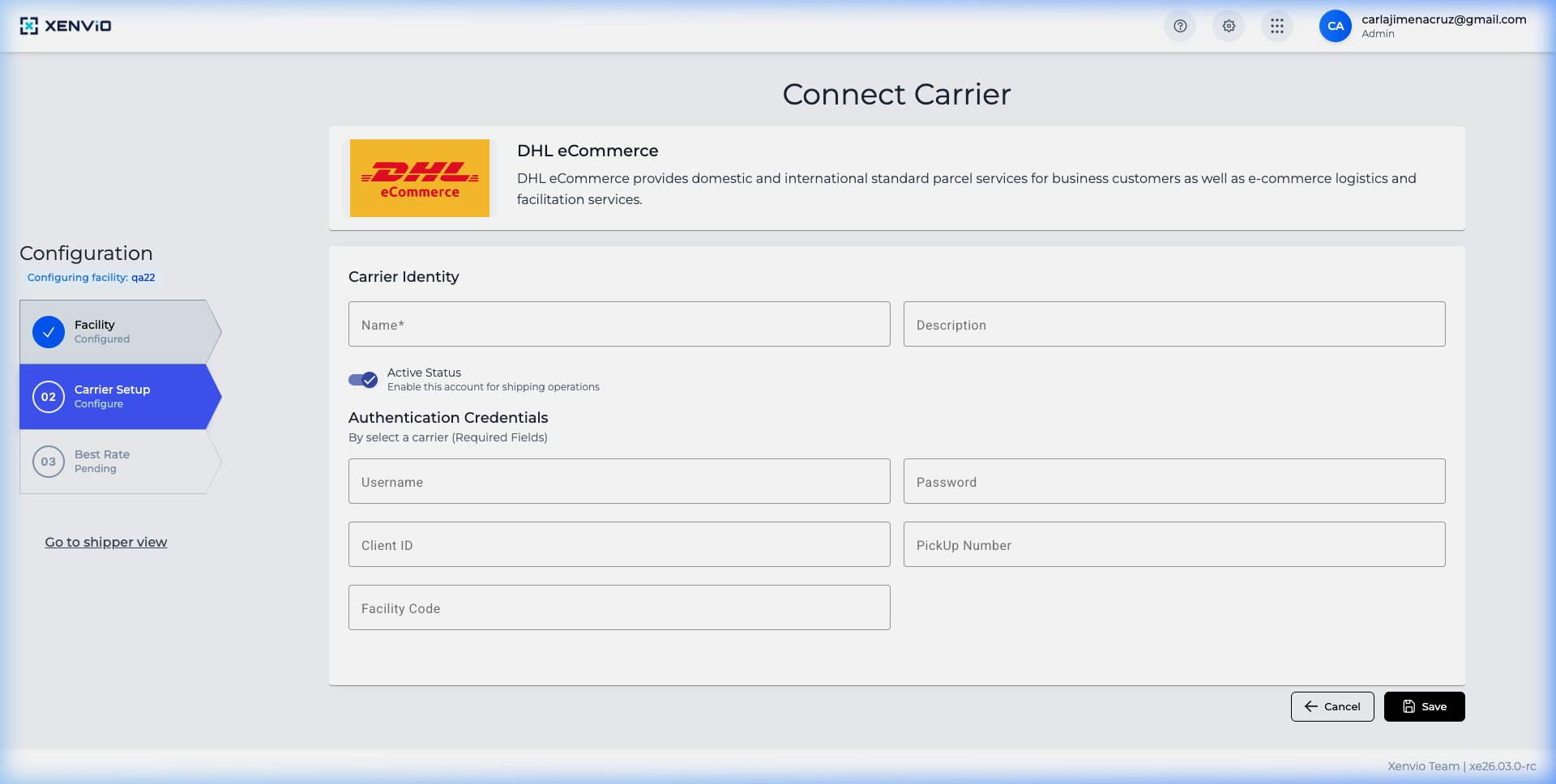
3
Add Custom Carrier
Click 'Add Custom Carrier' to create a new one. Fill in name, description and credentials.
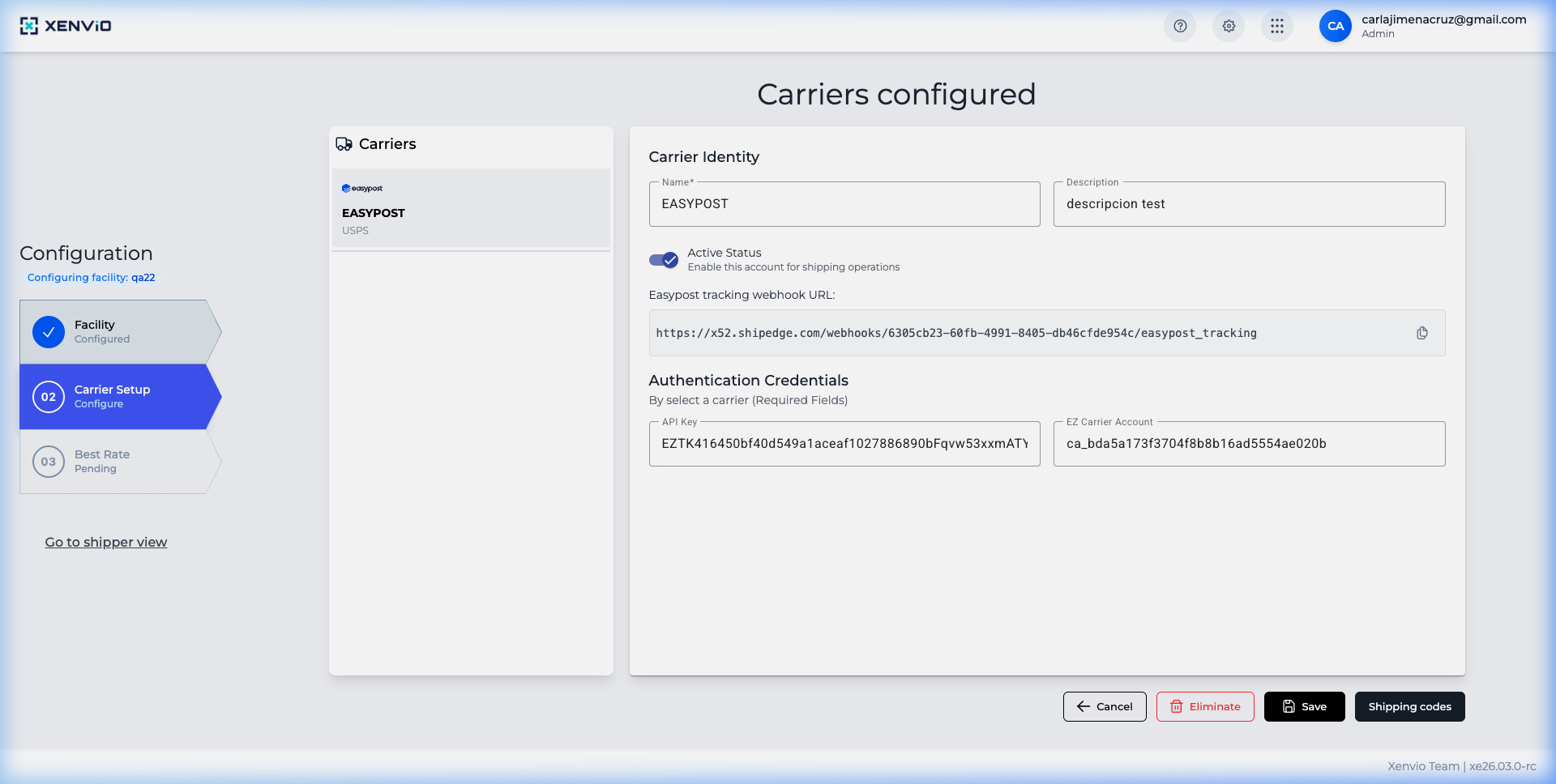
4
Edit Carrier
Edit an existing carrier. Toggle Active Status and configure webhooks.
Demo completed!
1 of 4
1. Access Carriers
Section titled “1. Access Carriers”Navigate to Configuration → Carriers to see the carriers configured for your selected facility.
2. Configured Carriers List
Section titled “2. Configured Carriers List”View all configured carriers with their name, type and status.
3. Add a Custom Carrier
Section titled “3. Add a Custom Carrier”Click Add Custom Carrier and fill in the fields:
- Name: Carrier name
- Description: Service description
- Active Status: Toggle to enable/disable the carrier
- Credentials: API Key, Account Number, etc.
4. Edit a Carrier
Section titled “4. Edit a Carrier”Select an existing carrier to edit its configuration, change credentials or enable/disable the service.
Create Fulfillment Location Set up a new location for your carriers.
Get Rates Calculate rates using your configured carriers.