

Create Package
The Packaging module lets you create and manage box types for your shipments. Each package has a unique code, type, dimensions, and can be linked to specific facilities. When creating an order, the system suggests compatible packages for the load.
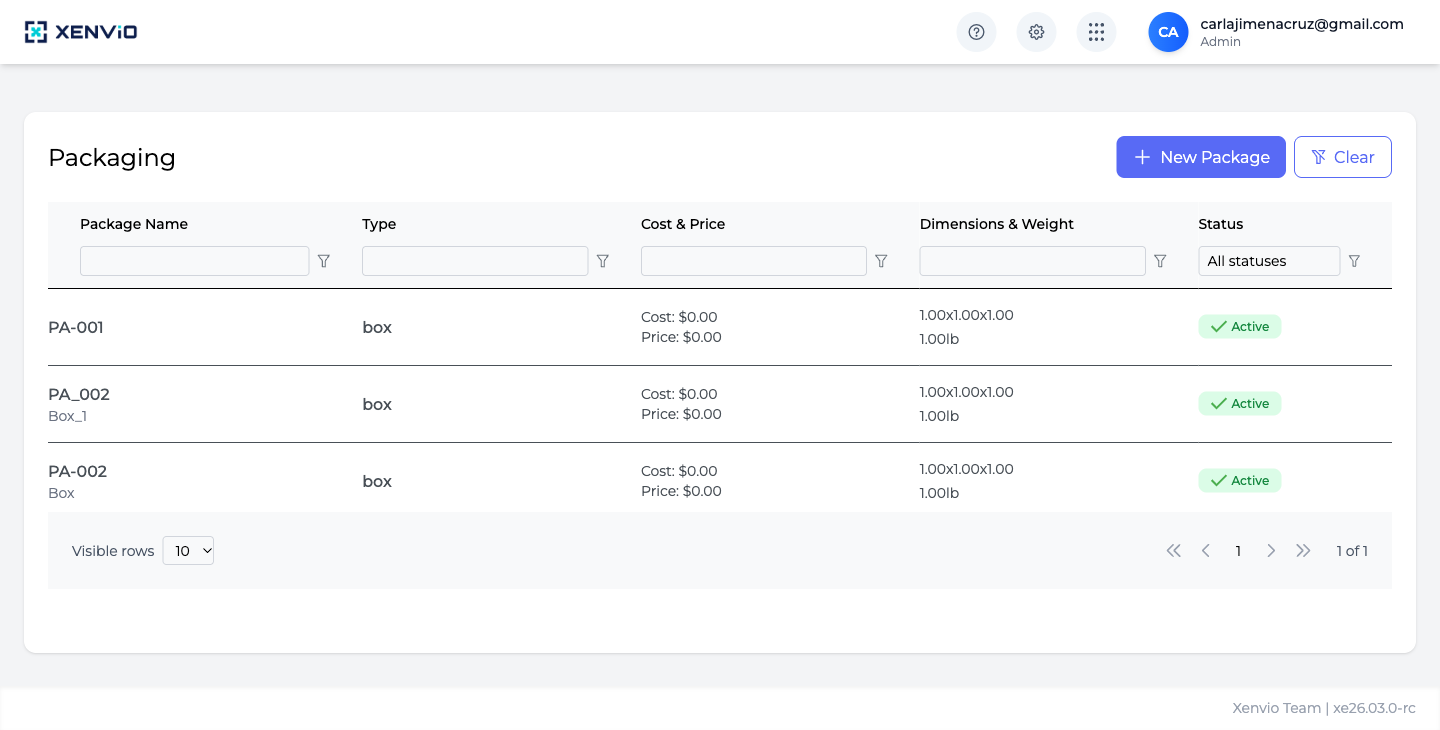
View of all configured packages: Package Name (code), Type, Cost & Price, Dimensions & Weight and Status. The '+ New Package' button opens the creation form.
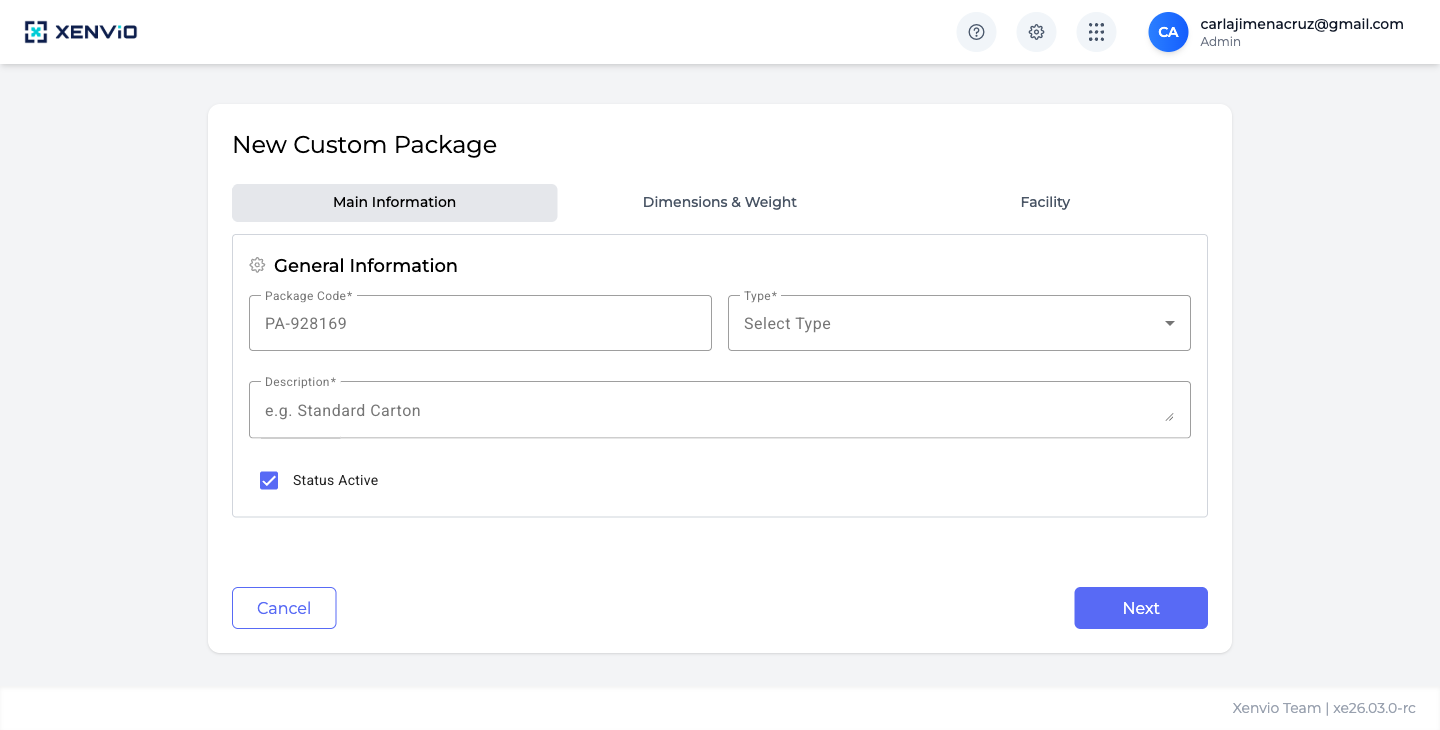
Tab 1 — General Info: Package Code (auto-generated, editable), Type* (Box, Envelope, etc.), Description* and the 'Status Active' toggle. Click 'Next' to continue.
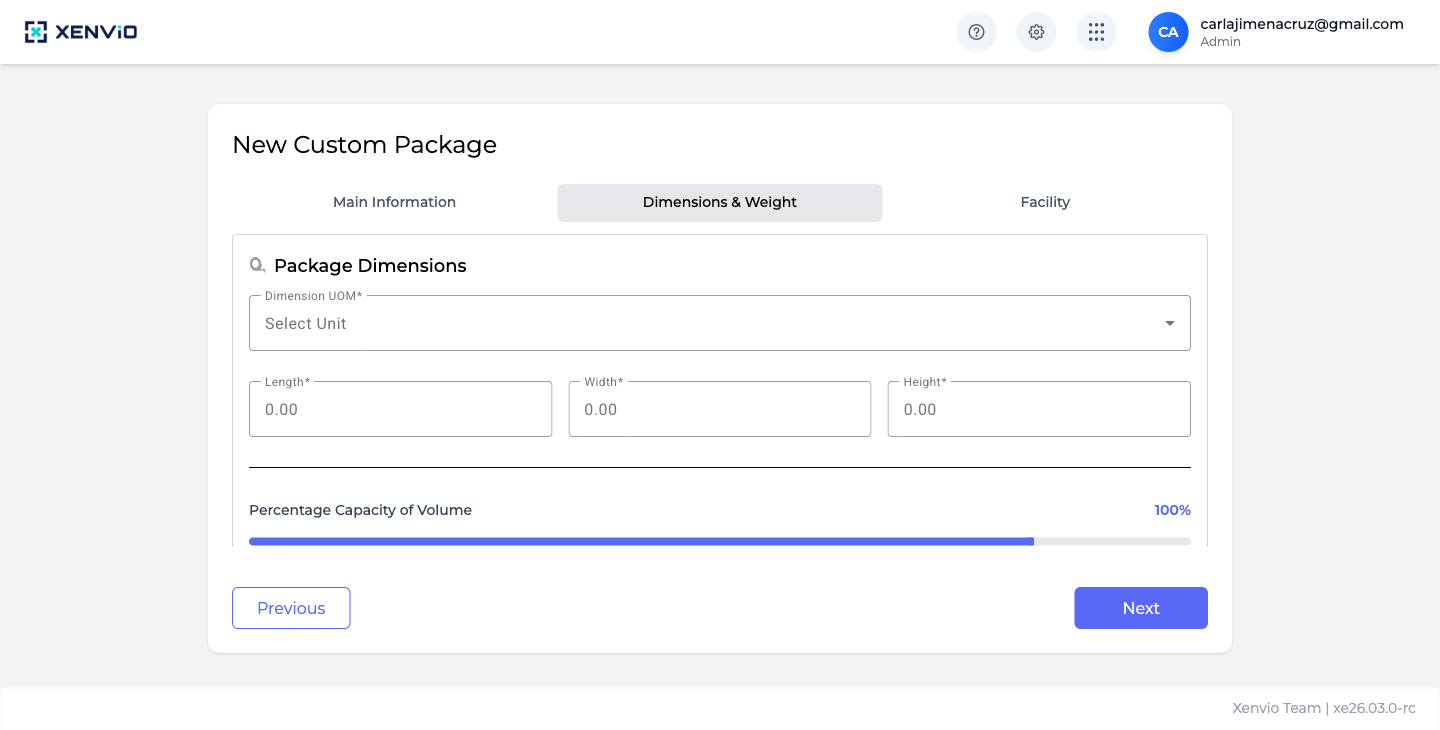
Tab 2 — Dimensions: select Dimension UOM* (unit of measure), enter Length*, Width* and Height*. The 'Percentage Capacity of Volume' slider sets the fill % (default 100%). Click 'Next'.
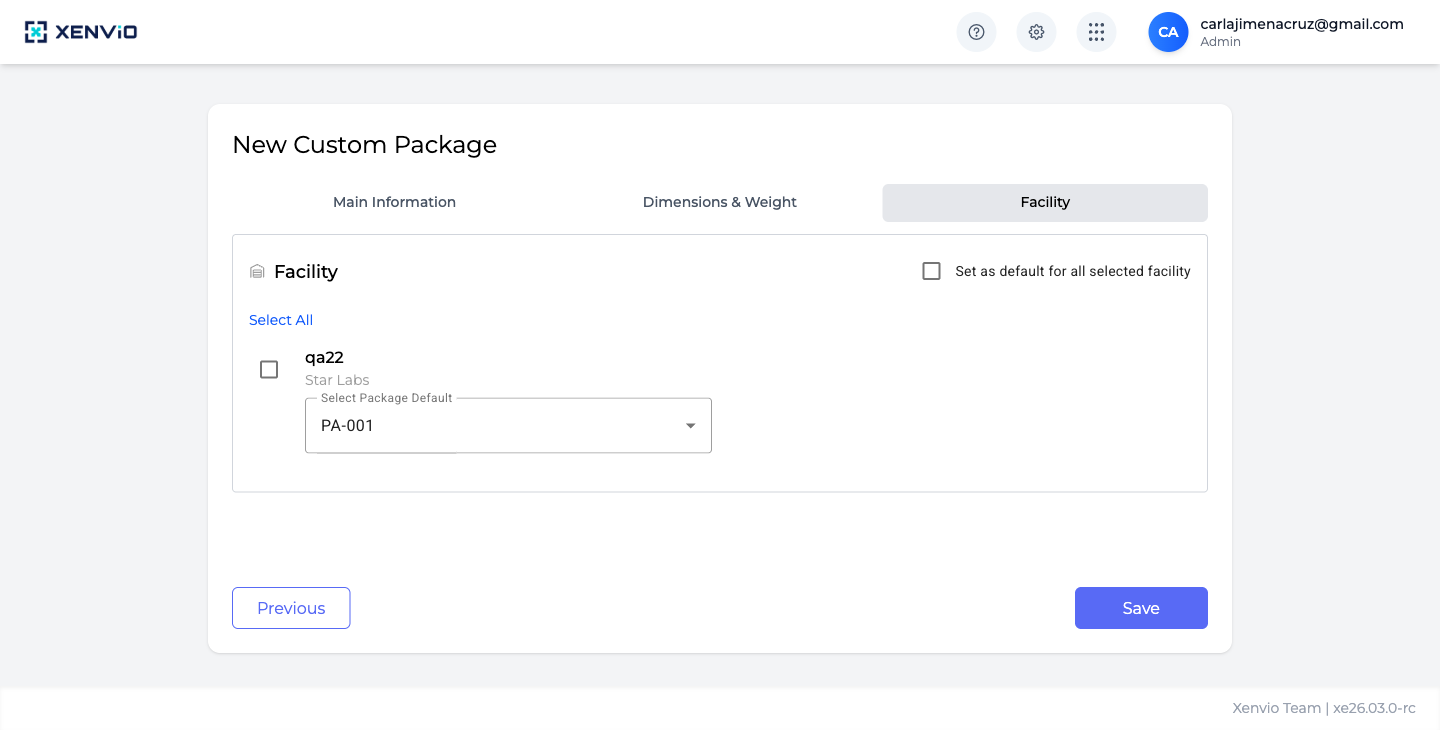
Tab 3 — Facility: select which facilities will have access to this package (checkbox per facility). Check 'Set as default for all selected facility' to make it the default. Click 'Save' to create the package.
Demo completed!
1. Access Packaging
Section titled “1. Access Packaging”Click ⚙ → Packaging. The table shows all packages with: Package Name, Type, Cost & Price, Dimensions & Weight and Status.
2. Tab — Main Information
Section titled “2. Tab — Main Information”Click + New Package. Fill in the first tab fields:
| Field | Description |
|---|---|
| Package Code | Auto-generated (e.g. PA-928169). Editable. |
| Type (required) | Package type: Box, Envelope, Soft Pack, etc. |
| Description (required) | Descriptive name (e.g. “Standard Carton”) |
| Status Active | Active by default — deactivate to temporarily hide it |
Click Next to continue to dimensions.
3. Tab — Dimensions & Weight
Section titled “3. Tab — Dimensions & Weight”Enter the physical dimensions of the package:
| Field | Description |
|---|---|
| Dimension UOM (required) | Unit of measure: IN (inches), CM (centimeters) |
| Length (required) | Package length |
| Width (required) | Package width |
| Height (required) | Package height |
| Percentage Capacity of Volume | Volumetric fill capacity % (default 100%) |
Click Next to continue to facility.
4. Tab — Facility
Section titled “4. Tab — Facility”Link the package to one or more facilities:
| Field | Description |
|---|---|
| Select All | Check all facilities at once |
| Checkbox per facility | Select individually (e.g. qa22 / Star Labs) |
| Set as default for all selected facility | Makes this the default package for those facilities |
| Select Package Default | Defines which package is the current default for that facility |
Click Save to create the package. It will be available immediately in the list and when creating orders.
Existing Packages
Section titled “Existing Packages”Pre-configured packages (PA-001, PA-002) can be edited or deactivated. Active packages show a green Active badge in the list.